AVAILABLE 24x7
888.662.2724
AVAILABLE 24x7
(888) 66CARAH
Fast & Accurate
Request A Quote

Quick Response
Chat With Us


Carahsoft, in conjunction with its vendor partners, sponsors hundreds of events each year, ranging from webcasts and tradeshows to executive roundtables and technology forums.
Events and Resources
Events
No events were found. Please try another search.
Resources
Featured
In this episode of Identiholics, host Christine Owen is joined by Jamie Danker from Venable and Carole House from Terranet. They discuss the importance of women in the cybersecurity field and the need for more women to be involved in privacy and security discussions. The conversation highlights the ...

The discourse around secure mobile communication platforms has escalated in the United States public sector, where security and data integrity aren’t just priorities but mandates. As agencies become increasingly dependent on digital technologies to execute their missions, the need for secure p...
Collibra has been named a Leader in The Forrester Wave™: Data Governance Solutions, Q3 2025 report, recognized for its strong vision and comprehensive capabilities. Download the report to explore emerging trends, evaluation criteria for governance tools, and why Collibra stands out in today&rs...
Ready to fast-track your implementation? The Road to Go-Live Handbook reveals proven strategies, expert tips, and step-by-step guidance to help you launch with confidence and deliver results faster. View this essential playbook for turning process insights into real business impact—download no...
Government agencies are facing increasing demands to provide services more efficiently, transparently, and with limited resources. To support this transformation, we're thrilled to share that Accela has acquired ePermitHub—marking a significant advancement in streamlining permitting and pl...
The Wiz + Accenture Responsive Protection System — a modern, unified cloud security platform tailored for federal agencies. A simple and secure way to enhance cloud security while reducing costs.
ActiveState’s Open Source Security Posture Management platform enables DevOps, InfoSec and Development teams to improve security status to deliver secure applications faster. Learn how ActiveState and Carahsoft have partnered up to provide comprehensive open-source management solutions in the ...
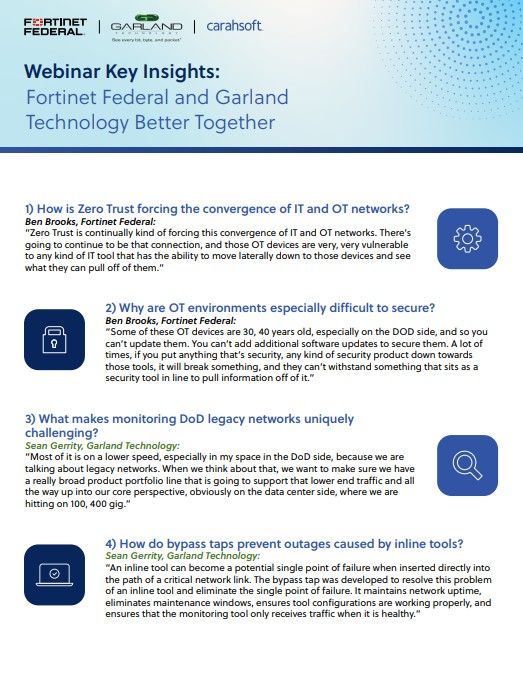
In the search for solutions to modernize legacy systems, federal agencies can consider integrations between Fortinet Federal and Garland Technology. Read highlights from the recent Better Together webinar with leading experts in IT and OT networks, Zero Trust architecture and federal ecosystems.
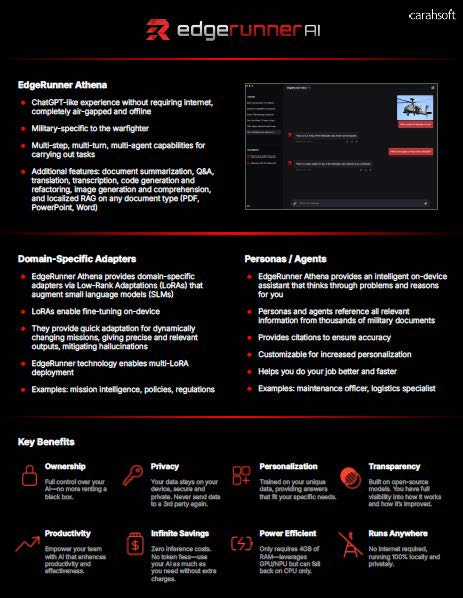
This resource provides an overview of EdgeRunner AI, a military-specific AI solution offering capabilities such as offline, multi-step, multi-turn interactions tailored for warfighters. It highlights features like EdgeRunner Athena for document summarization and domain-specific adapters with LoRA fi...
Access this Cohesity eBook to uncover six key predictions shaping the future of AI, data security, and cloud. As AI rapidly transforms industries, it brings both opportunities and risks—Cohesity experts provide actionable insights to help you stay ahead. Explore practical takeaways and valuabl...